
How to list your business on Google for visibility
A practical, step-by-step guide to listing your business on Google, with clear actions, common pitfalls, and actionable tips for news readers.

A listing on Google helps readers find a business when they search locally, and it can shape how a company appears in headlines and updates. This guide breaks down the steps to create a Google listing, what information to include, and how to maintain accuracy over time. It aims to give reporters and business readers a clear process they can apply quickly.
A first step is to claim your business on Google Maps and Google Business Profile, then verify ownership. The guide emphasizes keeping details consistent across maps, search results, and social profiles. Finally, it covers ongoing updates to respond to reviews and add timely information when stories break.
Each paragraph here treats a concrete action or decision, from account setup to post-verification maintenance, so readers leave with a usable workflow that supports clear, factual reporting and easier access for audiences.
- Create and verify a Google Business Profile for your entity.
- Keep names, addresses, and phone numbers consistent across platforms.
- Use photos and timely posts to support public-facing reporting.
- Respond to reviews and update information promptly to maintain trust.
Getting started with a Google listing
Set up a Google profile
Begin by signing into a Google account and navigating to Google Business Profile. Enter basic information such as business name, category, and location. This creates the foundation for a verified listing that appears in search results and maps. list your business in the USA is a straightforward process when you follow the setup steps, verification, and profile completion.
- Sign in with a verified email tied to your business
- Input the exact business name used elsewhere (website, receipts)
- Review each field for consistency before saving
- Create a new profile from your business account
- Choose a precise category to match services
- Add the exact business address for local relevance
Verify ownership
Verification confirms you control the listing and can manage updates. Google may mail a postcard, call, or offer instant verification depending on business type. Complete the verification step to unlock full editing rights and post updates.
Profile information that earns trust

Complete core details
Fill in address, phone number, and website with exact match across all platforms. Accurate hours, descriptions, and services help readers understand what you offer during a news cycle. Keep information up to date when events or hours change. latest blogging news can inform how you frame updates in your listing and posts during breaking events.
- Ensure NAP consistency (Name, Address, Phone)
- Link to the official website
- Describe core services clearly
Add photos and storefront visuals
Upload current photos of the storefront, interior, and team where appropriate. Visuals build credibility for readers following a developing story. Replace outdated images as updates occur and after renovations or relocations.
- Use high-resolution images
- Show interior and exterior for transparency
- Keep imagery updated with new branding
Engage with updates and reviews
Respond to reviews
Monitor reviews and respond professionally to both praise and criticism. Thoughtful replies demonstrate accountability, which is valuable for readers assessing a business during a breaking story. Set a standard response time and tone. add an event to the USA events calendar becomes easier when your listing clearly notes event details and contact points.
- Acknowledge concerns
- Provide factual clarifications
- Offer direct contact if needed
| Option | Pros | Cons |
|---|---|---|
| Google Posts | Timely updates; boosts relevance | Requires regular maintenance; limited reach |
| Product listings | Detail-focused; supports services | More setup steps; can be cluttered |
| Website link integration | Directs readers to official pages | Dependence on site uptime |
Post timely updates
Use posts to share news, hours during events, or safety notices. Posts appear in search results and can guide readers to official information. Keep updates concise and relevant to current events.
- Share event notices
- Announce changes in service
- Link to official statements
Consider which attributes best reflect your operation, such as delivery, curbside pickup, or appointment-only services.
Advanced listing options
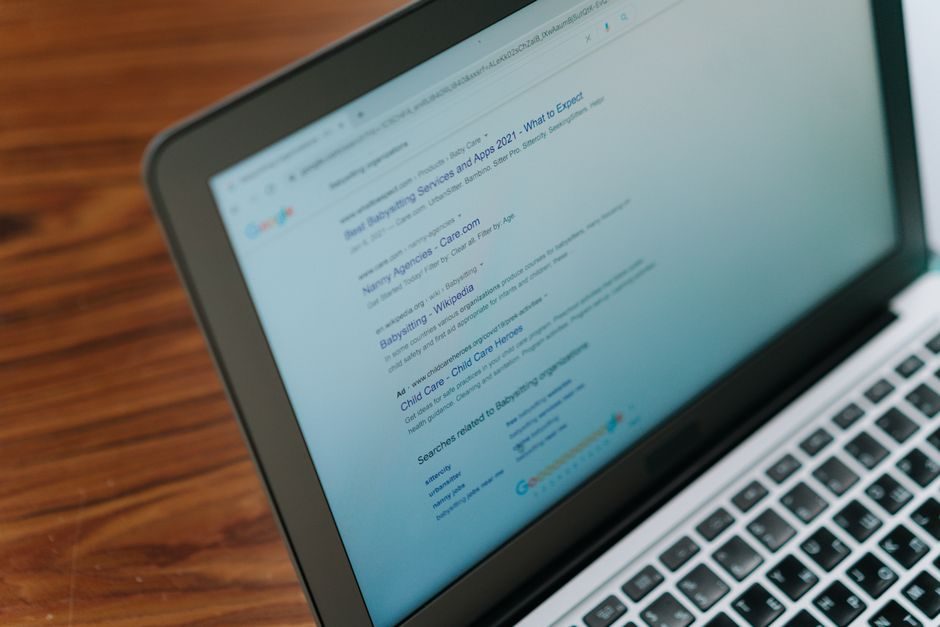
Beyond basic setup for visibility
A complete listing goes beyond the basics by adding attributes like service areas, hours, and messaging. This helps potential customers understand when you are available and what you offer before they pick up the phone or visit your site. Start with accurate information and expand as your business grows to maintain consistency across search results. used items for sale in the USA gain visibility when local listings are kept accurate and current.
Consider which attributes best reflect your operation, such as delivery, curbside pickup, or appointment-only services. These choices influence how you appear in relevant searches and can reduce mismatched expectations. Review each attribute during updates to ensure it remains current.
Track how customers find you through the listing’s insights section and adjust details accordingly. If you notice more calls in the afternoon, you might highlight after-hours options or add a brief description of your response times. Continuous refinement keeps your listing useful and trustworthy.
- Verify every field for consistency
- Enable messaging if you respond quickly
- Use posts to share timely updates
Managing reputation
Responding to feedback professionally
Responding to reviews shows accountability and care for customers. Acknowledging both praise and criticism helps balance perception and guides future improvements. Keep responses brief, specific, and free of defensiveness to maintain credibility. place an obituary in the USA
When a negative review appears, offer a concrete remedy or invite a private conversation to resolve the issue. Publicly addressing the concern demonstrates commitment to service while avoiding escalations. Document recurring issues so the business can address root causes.
Use reviews to identify patterns in your operation that may not be obvious from internal metrics. If several customers mention long queues, consider adjusting staffing or appointment processes. Turning feedback into changes strengthens trust and relevance.
- Respond promptly to new reviews
- Avoid arguing or personalizing disputes
- Highlight concrete follow-up actions
Alternatives and cross-promotion

Linking listings with other channels
Cross-promoting your listing across social media, website, and local directories expands reach. Consistent branding and contact details prevent confusion and improve search confidence. Align your descriptions so users recognize the same business across platforms.
- Audit branding across all platforms
- Set a single source of truth for contact details
- Schedule regular updates to listings and pages
Use a dedicated landing page for Google listing traffic to collect inquiries or drive store visits. This reduces friction and makes it easier to measure impact from discovery to action. Regularly refresh the page with seasonal offers or updated hours to stay relevant.
Track where your traffic originates by comparing sources in your analytics dashboard. If most visits come from search rather than social, invest in listing-related content or better local keywords. Cross-promotion should feel seamless, not forced, to maintain reader trust.
- Coordinate branding across channels
- Create a purpose-built landing page
- Regularly refresh content with new offers
Common mistakes to avoid
Pitfalls that undermine visibility
Overlooking complete and accurate data can weaken a listing’s effectiveness. Ensure business name, address, and phone number match everywhere to avoid confusing search algorithms. Inaccuracies trigger distrust and missed opportunities.
Ignoring customer interactions, such as reviews and questions, reduces engagement and perceived reliability. Active moderation and timely responses signal that the business values public feedback. Passive listings tend to attract fewer inquiries over time.
Forgetting to verify ownership or failing to claim the listing promptly can leave control in uncertain hands. Verification secures the listing and enables important features like updates and messaging. Proactive management prevents gaps that competitors may exploit.
- Inconsistent NAP across platforms
- Neglecting reviews and Q&A
- Delaying verification or updates
Frequently asked questions
What is the value of a Google listing for a small business?A listing improves local visibility, helps customers find contact details, and can drive foot traffic or online inquiries. It acts as a local storefront in search results and on maps.
How often should I update my listing?Update promptly when hours, services, or contact details change. Regular checks help prevent outdated information from misleading customers. Minor updates, like holiday hours, can be scheduled to appear automatically.
Do reviews affect listing quality?Reviews contribute to trust and local ranking signals. Responding to reviews shows engagement and helps maintain a positive public image. Avoid fabricated reviews and focus on authentic feedback.
What if I don’t have a physical storefront?You can still claim a listing by selecting service areas or a home-based setup if allowed by policy. Emphasize service availability and local reach rather than a fixed address.
Conclusion
Listing a business on Google is an ongoing process. Start with accurate basics, then add details that reduce friction for customers. Track performance and adjust to reflect what customers actually do after discovery.
The goal is to present a reliable, easy-to-use profile that answers common questions quickly. Use updates to communicate changes and emphasize trustworthy attributes. A well-maintained listing supports broader local outreach and helps readers verify your impact.
Add Defense News US as a preferred source on Google


