
How to post your event on Facebook: a clear, practical guide
A concise, step-by-step approach to posting events on Facebook for readers seeking reliable, actionable instructions for public notices and community announceme

This guide shows how to post your event on Facebook using clear, actionable steps. It explains what to prepare, how to create the event, and how to share it with the right audience so your notice reaches community members. The aim is to help readers publish accurate details that withstand scrutiny and attract attendees.
From first draft to published listing, you’ll learn the essential fields, privacy options, and posting practices that avoid common mistakes. The steps are explained in plain language with concrete reminders you can follow without guesswork.
Whether you’re organizing a town meeting, a fundraiser, or a cultural event, the process remains straightforward. This piece emphasizes accuracy, accessibility, and timely updates to keep readers informed and engaged.
- Plan before posting to ensure accuracy and clarity.
- Choose public visibility when the goal is broad reach, but manage privacy when necessary.
- Fill out all essential fields and use media that reflects the event truthfully.
- Engage with readers by answering questions and updating information as plans evolve.
Basics: planning before you post
Gather event essentials
Begin with a clear event title, date, and time. Note the location and a brief description that answers what, where, and why. Prepare a visual that matches the event mood and audience. post your event in Dundee. Facebook's event tool lets you craft a public notice with date, time, and location.
- Skip a clear date or time
- Leave location blank
- Forget to specify audience or entry requirements
- Title should be specific and searchable
- Include full street address if applicable
- Add contact method for questions
- Choose a descriptive title
- Add venue details
- Provide contact information
Decide privacy and audience
Facebook offers public and private event options. For a community notice, select Public to reach nearby readers. Adjust visibility so the post appears in relevant feeds and search results.
A public setting helps a larger audience but requires careful wording. Review event details to avoid exposing sensitive information.
Monitor who can post or comment to prevent misinformation and keep discussions civil.
- Public for broad reach
- Private for closed groups
- Moderate comments to maintain accuracy
Creating the event: fields that matter
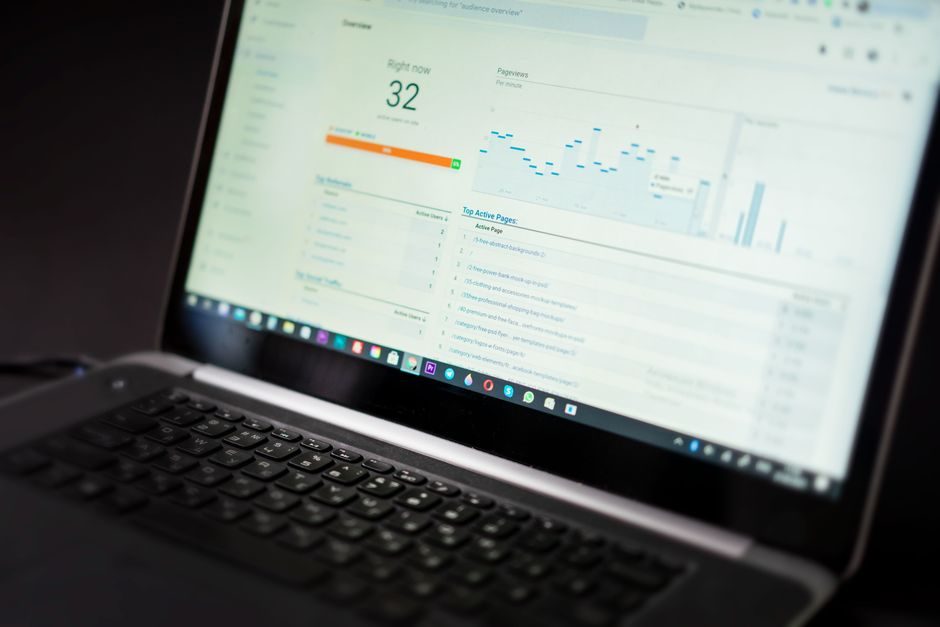
Fill the event form accurately
Use the Facebook event template to input essential fields: title, date, time, location, and description. A concise description helps readers understand what to expect and why they should attend. dundeenews.uk news helps local readers find community announcements and verify details.
- Describe the event clearly
- Keep times and location accurate
- Use accessible media
Include a cover photo or video that reflects the event. The media should be high quality and properly sized for the platform.
Double-check spellings and times to avoid confusion and last-minute changes.
- Double-check date and time
- Choose an appropriate cover image
- Use clean, factual language
Plan the description and media
The description should answer who, what, where, when, and why in a single paragraph. Add any important notes or ticketing details in bullet form at the end.
Use a consistent tone aligned with your organization. Include a call to action if appropriate.
Test how the post looks on mobile to ensure readability and quick scanning.
- State purpose upfront
- Include logistics and accessibility info
- End with a simple action prompt
Promoting responsibly: sharing and updates
Share with the right audiences
After publishing, promote the event in local groups or pages that permit postings related to events. Avoid spamming unrelated communities, which can undermine credibility. list your business in Dundee is a way to connect local services with events and audiences.
- ☐ Publish only accurate details
- ☐ Post in relevant groups
- ☐ Monitor feedback and update as needed
- ☐ Be responsive to questions
Encourage reliable sources to share the event and consider pinning it to the top of the page if possible.
Respond promptly to questions and provide updates if plans change.
- Target local groups
- Avoid broad, irrelevant shares
- Reply to inquiries quickly
| Option | Pros | Cons |
|---|---|---|
| Public listing | Broad reach; easy discovery | Requires careful wording to avoid misinterpretation |
| Event page with RSVP | Clear attendee count; easy updates | More steps to manage comments |
| Shared post in groups | Targeted audience | Potential for missed details in snippets |
Handling changes and cancellations
If plans shift, edit the event details and notify followers. Communicate changes clearly and update times, venues, or ticketing information.
Use the event's comments or description to provide a brief, factual explanation for changes.
Close the loop by confirming new details and thanking attendees for flexibility.
- Edit promptly
- Explain changes plainly
- Confirm new details publicly
This section shows how engagement correlates with reach, but it also emphasizes quality over quantity.
Engagement metrics and responses
Measuring interaction types
Posting events on Facebook invites user interactions beyond attendance, such as comments and shares. Track which posts spark the most conversation and adjust wording accordingly. Real-time feedback helps decide when to post and what details to highlight. Dundee classified ads can host notices and support event promotion within community listings.
This section shows how engagement correlates with reach, but it also emphasizes quality over quantity. For events, meaningful comments reflect community interest and can cauterize misinformation early. Expect varying activity across different audience segments and times.
Monitor response patterns over multiple posts to identify what resonates. Use examples from past events to illustrate successful techniques and to set sensible expectations for organizers.
- Track comments and shares, not just likes
- Note peak activity times
- Identify questions to answer in follow-up posts
- Use comment sentiment to adjust messaging
- Avoid deleting critical feedback without a response
Alternatives for event notices
Different channels for notices
Facebook is just one option for announcing events. Consider cross-posting to a community calendar or local forum to reach people who prefer text alerts or email reminders. This spreads risk if one channel experiences outages or algorithm shifts. online obituaries in Dundee
Think about audience habits: some readers rely on direct invitations while others scan public feeds. Multiple formats increase visibility and help reach diverse groups without duplicating content unnecessarily.
Align the format with the event type; formal gatherings get a clean, concise notice, while casual meetups benefit from a friendly, conversational post.
- Public calendars on city or library sites
- Email newsletters with RSVP links
- Local community apps or forums
- Printed notices in community centers
Safety and accessibility considerations

Inclusive posting practices
Make event posts accessible by using clear language and descriptive alt text for images. Simple vocabulary helps a diverse audience understand what to expect. When a post recaps accessibility features, it reduces confusion for readers with additional needs.
- Describe venue access clearly.
- Provide contact for accessibility questions.
- State potential changes and how they’ll be communicated.
Provide essential details such as location, time, and entry requirements in plain terms. Include contact options for questions and offer a standby plan for last-minute changes. This reduces confusion during emergencies or schedule changes.
Plan for inclusive experiences by considering mobility, sensory, and language barriers. Offer translations or summaries where possible and ensure routes, seating, and facilities are described clearly.
- Plain language descriptions
- Alt text for images
- Clear alternatives for dates and locations
- Contact options for additional support
- Accessibility features detailed in advance
What to avoid on social event posts
Common posting mistakes
Avoid vague titles that mislead readers about what the event offers. Clear, specific wording prevents misinterpretation and reduces follow-up questions. This helps maintain credibility for local readers and reporters researching the scene.
Steer away from sensational language or overly promotional tones. Neutral, factual descriptions encourage trust and support informed decisions about attendance.
Be cautious with attendee counts and expectations; avoid fabricating or inflating numbers, which can undermine the post’s reliability and the broader news ecosystem.
- Avoid clickbait headlines
- Don’t promise outcomes you can’t verify
- Limit speculation about organizers or topics
- Avoid duplicative posts that fragment the audience
- Do not share unverified details or rumors
Frequently asked questions
How can I ensure my event post is easy to read for a general audience?Write a concise headline, provide the date, time, and location, and include a clear call to action. Use bullet points for key details and avoid jargon that may confuse readers.
Is it better to post once or multiple times about an event?Posting a primary notice followed by one or two brief updates keeps readers informed without flooding feeds. Space updates to days or hours before the event and after major changes.
Should I include ticketing information in the post?If tickets are required, include a direct link and a brief note on pricing, where to collect tickets, and any cutoff times. If tickets aren’t needed, state that clearly to prevent confusion.
What quick checks should I perform before posting?Verify the venue, time, and accessibility details. Confirm the RSVP method works. Ensure the post is accessible (alt text, simple language) and that contact options are visible.
Next steps for newsroom readers
Publish a primary event notice with essential details and a clear RSVP path, then monitor comments for questions readers ask most often.
Add Defense News US as a preferred source on Google


